%20light-mode.png?width=200&height=85&name=SkyFarer%20Design%20Logo%20(910%20x%20510%20px)%20light-mode.png)
Skyfarer uses Stripe Connect Onboarding for Custom Accounts. This is a secure, Stripe-hosted form that collects your payout and identity information to meet required KYC (Know Your Customer) regulations.
https://skyfareracademy.com/account/payments
What this means for you as a provider or seller
With Stripe Connect Onboarding:
- Adding and updating your payout details is simple and secure
- Stripe continually improves the onboarding experience
- Both individuals and businesses can complete onboarding
- Your bank account will be linked directly to your Skyfarer profile so you can receive earnings
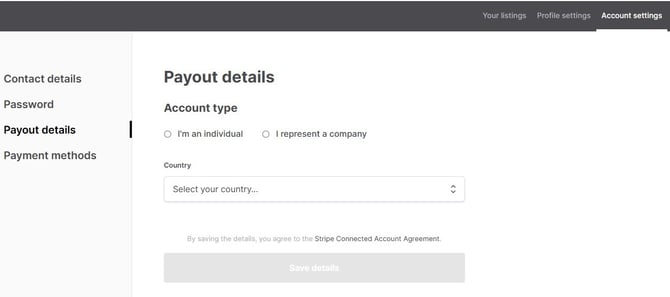

What are “payout details”?
“Payout details” are the banking and identity details Stripe needs so you can receive money from your sales or services.
They include:
- Your bank account information
- Information about the person or business that owns that bank account
This information is used only to transfer your earnings to you after a successful transaction.
How Connect Onboarding Works
1️⃣ In your Skyfarer account settings, go to Payout Details
2️⃣ Choose your account type and country
3️⃣ Click Get Verified
4️⃣ You’ll be redirected to a secure Stripe-hosted form
5️⃣ Enter your payout (bank) details and identity information
6️⃣ Submit your info to complete verification
Stripe may also ask for additional documentation — such as a photo ID — depending on the country and account type.
Providers can also edit their information once it's added by clicking "Edit Stripe account" in their Payout details.

Updating Your Information
You can update your payout details at any time by clicking “Edit Stripe Account” in your Payout Details section. This will reopen the Stripe onboarding form so you can make changes securely.